AscBuddy Localization
Auto-Localizer for App Store Listings
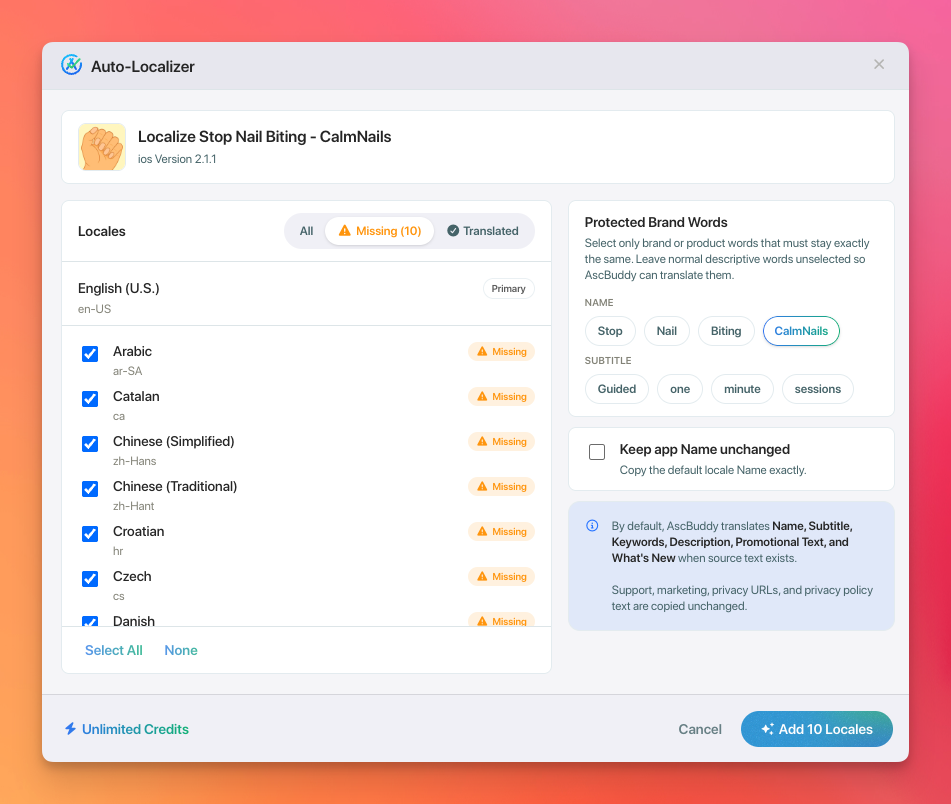
Fill missing App Store listing localizations from inside App Store Connect. Select the locales that need work, protect brand words, and let AscBuddy draft listing fields for review.
The Problem
App Store listing localization is useful, but the workflow gets repetitive fast.
App Store Connect separates listing metadata across locales and version states. That means a simple release can turn into repeated checks for missing languages, empty fields, brand terms, character limits, and save rules.
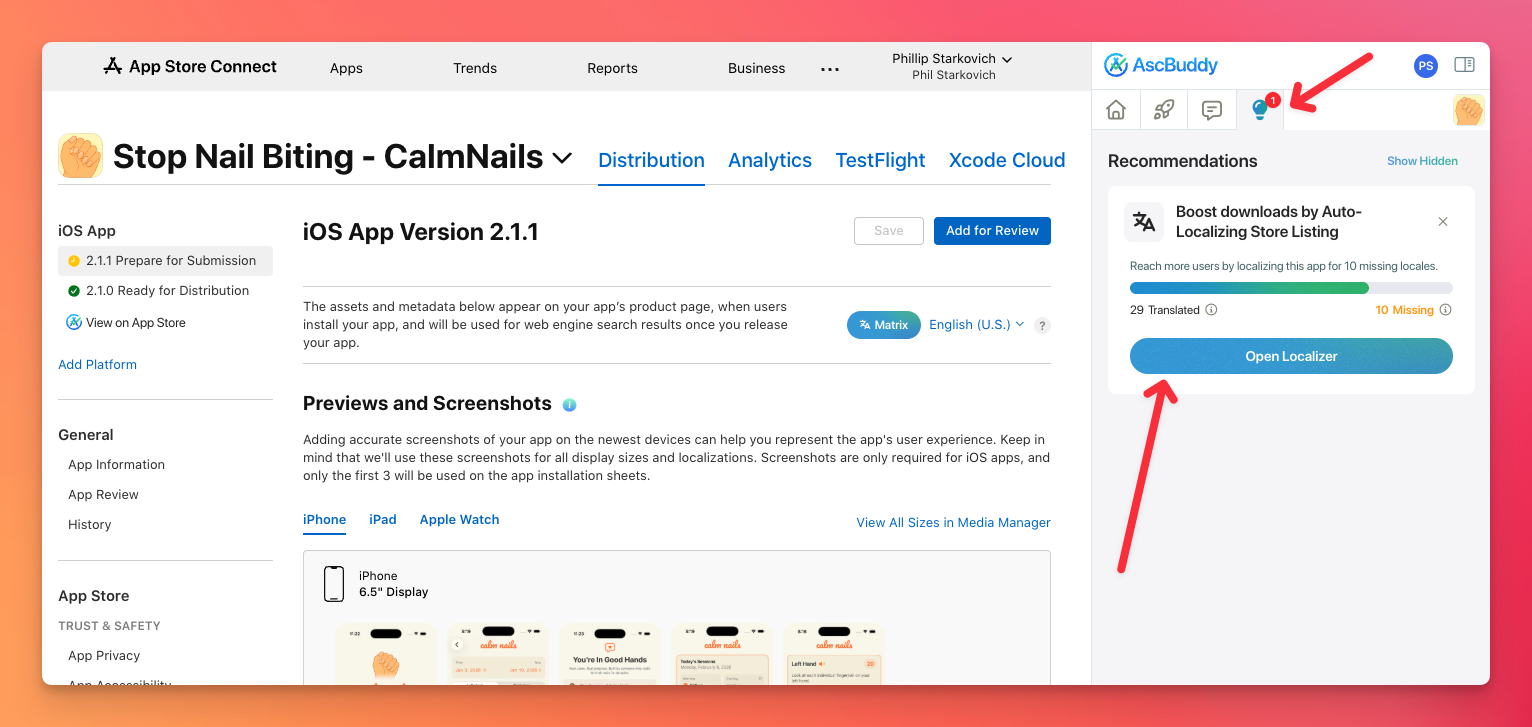
The Recommendations tab shows when an app has missing listing localizations and opens Auto-Localizer.
Choose app, product, or brand terms that should stay unchanged while localized listing copy is drafted.
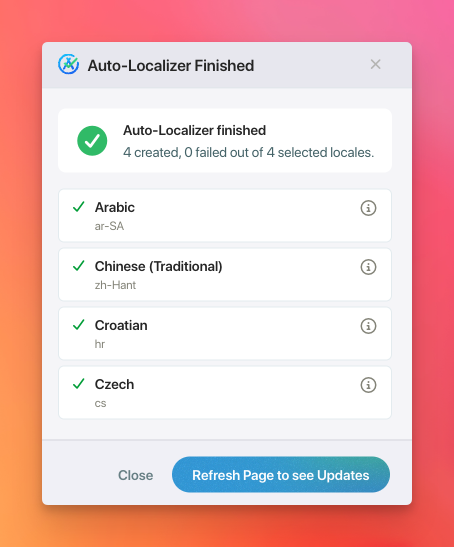
AscBuddy shows created, updated, and failed locales so you can review what happened before moving on.
What It Drafts
Listing metadata fields, not app binary strings.
Auto-Localizer focuses on App Store listing metadata. You still review the localized drafts before saving or submitting changes.
Draft localized app names when source text is available.
Keep short positioning copy organized across languages.
Create keyword drafts for review and local market refinement.
Draft longer listing descriptions without starting from a blank field.
Prepare localized promotional text when the source field exists.
Draft localized release notes for update workflows.
Workflow
Launched from AscBuddy Recommendations, built for App Store Connect.
Open Recommendations
Open the AscBuddy Recommendations tab inside App Store Connect.
Open Localizer
Use the missing-locale recommendation to launch the Auto-Localizer modal.
Protect terms
Keep selected brand, app, and product words unchanged while drafts are created.
Review completion
Check created and failed locale counts, then refresh App Store Connect to review updates.
Use it when...
- You are preparing a launch or app update.
- Your listing has missing localized metadata.
- You want a draft before handing text to a reviewer or translator.
- You need to keep brand terms consistent across locales.
Keep reviewing when...
- You are choosing local keywords for a specific market.
- Your app uses regulated, legal, medical, or financial language.
- You need polished copy for a major launch.
- You are changing claims that could affect App Review.
FAQ
Common questions
Does Auto-Localizer translate my app's in-app strings?
No. Auto-Localizer is for App Store listing metadata, such as the app name, subtitle, keywords, description, promotional text, and What's New.
Does it guarantee better rankings or more installs?
No. Localized listing metadata can help you present more relevant copy, but results depend on your app, market, listing quality, and promotion.
Can I edit listing localizations at any time?
App Store Connect controls when some metadata is editable. AscBuddy is designed to work with those states and surface issues when a selected version cannot be changed.